· Graham G. Hughes
Mediawork vs Xytech Operations: which is right for your media business?
Compare Mediawork and Xytech Operations, previously Xytech MediaPulse, across CRM, quoting, scheduling, cost tracking, invoicing, collaboration and AI—and discover which platform best fits your media business.
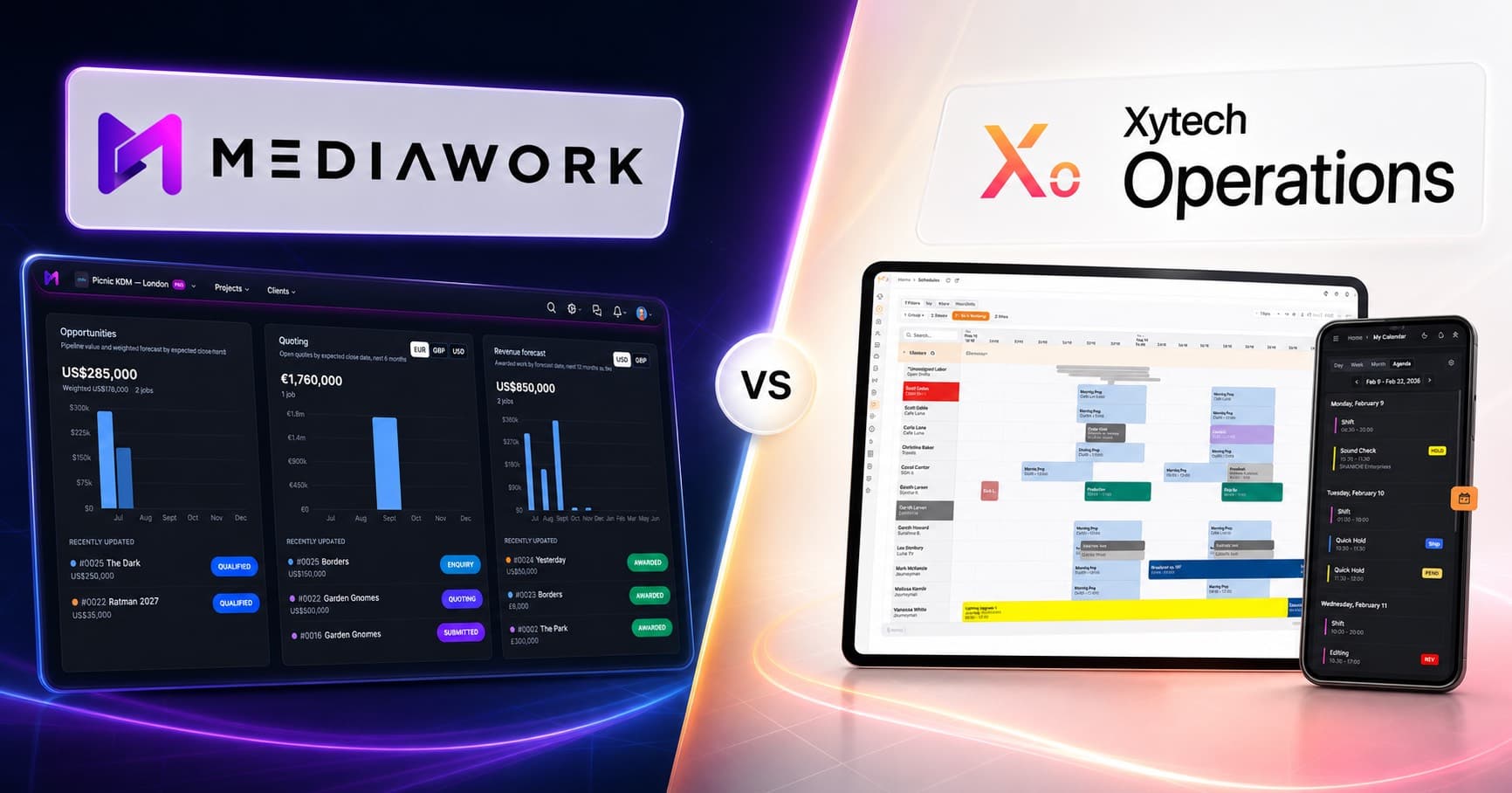
If you run a post-production facility, production company, broadcast operation or media services business, operational software has to do more than maintain a schedule.
It needs to keep people and resources organised, protect project margins and move work efficiently from the first client enquiry through delivery and invoicing.
Mediawork and Xytech Operations (Zytech MediaPulse) both serve this market. Both connect scheduling with financial workflows, but their centres of gravity are different.
Mediawork is built around the vendor’s complete commercial and operational journey. Xytech Operations goes deeper into complex, rule-driven resource management at enterprise scale.
At a glance
| Feature | Mediawork | Xytech Operations |
|---|---|---|
| Primary focus | Connected sales, delivery and finance workflow | Enterprise resource and production operations |
| Sales CRM | Built-in accounts, contacts and opportunities | Not positioned as a sales CRM |
| Sales pipeline | Enquiry through award and production | Operational jobs and workflows |
| Quoting | Templates, rate cards, versions and margin calculation | Quotes and estimates connected to jobs and resources |
| Scheduling | People, rooms and equipment across facilities | Advanced, rule-driven enterprise resource scheduling |
| Scheduling automation | Reusable templates, dependencies and conflict detection | Complex allocation, availability and workforce rules |
| Tasks and conversations | Built-in tasks and project-specific team and client threads | Operational workflow and issue coordination |
| Cost tracking | Quote against actual costs | Job costs, purchase orders and reconciliation |
| Invoicing | Built-in invoicing, billing runs and accounting exports | Invoicing connected to operational records |
| Client collaboration | Quote requests, shared schedules and project conversations | Not a primary part of its current positioning |
| Vendor directory | Public profiles and inbound quote requests | No equivalent public vendor marketplace promoted |
| AI | Permission-aware assistant across connected business records | Conversational scheduling and agent-operated workflows |
| Buying model | Free Starter plan and published subscription tiers | Consultative, demo-led enterprise model |
Mediawork: from first enquiry to final invoice
Mediawork is designed around a simple principle: enter information once and carry it through the entire job.
A typical workflow looks like this:
- Capture an opportunity in the sales pipeline.
- Create and send a professional quote.
- Move awarded work into delivery.
- Schedule people, rooms and equipment.
- Manage tasks and project conversations.
- Track actual costs against the quote.
- Turn completed work into invoices.
Because Sales, Operations and Finance work from the same underlying project, information does not have to be reconstructed every time responsibility moves between teams.
Mediawork also extends beyond the basic project timeline. Scheduling templates let vendors reuse common workflows, including durations and dependencies. Conflict detection helps prevent resources from being committed twice, while timeline, Gantt and calendar views provide different perspectives across people, spaces and equipment.
For vendors doing similar work repeatedly, that can make the difference between having a schedule and having a repeatable delivery process.
Xytech Operations: operational depth at scale
Xytech Operations is designed for organisations where resource scheduling is itself a highly complex operational challenge.
Its strengths include coordinating:
- Large production teams and freelance workforces
- Studios, edit suites, vehicles and technical equipment
- Labour rules and working agreements
- Timecards and actual hours
- Concurrent productions across multiple facilities
- Quotes, purchase orders, costs and invoices
- Broadcast, sports and live-event operations
Xytech connects scheduled resources directly to financial records, giving operations and finance teams a shared view of planned and actual activity.
It also sits within the wider Xytech product family. Organisations can connect Operations with Xytech Media for media lifecycle workflows and Xytech Transmission for contribution and transmission planning. REST APIs, webhooks and MCP-based agent access support integration with broader enterprise systems.
For a broadcaster or large media organisation managing intricate workforce rules, high booking volumes and several interconnected operational systems, that depth can be a significant advantage.
The biggest difference
The distinction is not that Mediawork is connected while Xytech Operations is not. Both platforms connect scheduling with financial activity.
The difference is where that connected journey begins and what each platform emphasises.
Mediawork begins further upstream with the commercial relationship. Opportunities become quotes; awarded work moves into schedules, tasks and delivery; tracked costs become invoices. Client communication remains attached to the same job throughout.
Xytech Operations begins with operational planning. Its greatest depth lies in allocating resources, applying workforce rules, recording time and coordinating complex production environments at scale.
Put simply:
- Mediawork connects the whole vendor journey.
- Xytech Operations specialises in enterprise operational complexity.
Client collaboration
Mediawork gives vendors and their clients a shared workflow without requiring every interaction to move through email.
Vendors can:
- Receive structured quote requests
- Handle NDAs before project details are disclosed
- Send branded quotes and supporting documents
- Share selected schedules and cost information
- Keep client and team conversations attached to the project
- Allow email replies to flow back into the relevant project thread
The vendor controls what is shared, while the client gets enough visibility to follow progress without repeatedly asking for updates.
Xytech Operations is more strongly focused on coordination within the operational organisation and between connected enterprise systems. It is not currently marketed around an equivalent public directory or client-facing quote-to-delivery experience.
AI and automation
Both platforms use AI, but in different ways.
Xytech provides conversational access to scheduling and resource data. Its governed MCP, API and webhook architecture also allows authorised agents to perform operational actions such as checking availability, scheduling resources and managing orders.
Mediawork’s permission-aware assistant works across the information already connected inside the platform. Using the company’s own Anthropic or OpenAI key, users can ask questions about opportunities, jobs, quotes, tasks, schedules, invoices, costs and project conversations.
This reflects the wider product distinction:
- Mediawork uses AI to surface answers across the complete business workflow.
- Xytech uses AI and agents to help operate complex enterprise workflows.
Adoption and pricing
Mediawork offers a self-service starting point, a free Starter plan and published subscription tiers. A vendor can begin with CRM and quoting, then add more advanced cost tracking, scheduling and invoicing as its requirements grow.
Xytech Operations follows a consultative, demo-led enterprise model. That is appropriate for organisations evaluating complex workforce structures, integration requirements and multi-facility operations.
This is less a question of one model being better than the other and more a question of how much operational configuration the organisation requires.
Which platform should you choose?
Choose Mediawork if you want:
- One workflow from enquiry through delivery and invoicing
- A built-in sales CRM and opportunity pipeline
- Quoting, scheduling, tasks, costs and finance in one application
- Reusable scheduling templates and conflict detection
- Direct client collaboration without relying on email chains
- A public vendor profile that can generate quote requests
- A self-service starting point with a free plan
- An accessible platform for a growing production or post-production business
Choose Xytech Operations if you need:
- Enterprise-scale production and resource scheduling
- Detailed workforce rules, timecards and personnel planning
- High-volume allocation across multiple facilities
- Complex broadcast, sports or live-event operations
- Deep integration with media lifecycle and transmission systems
- Extensive APIs, webhooks and governed agent access
- Operational control across a large or highly specialised organisation
Final thoughts
Mediawork and Xytech Operations overlap in scheduling, quoting, cost tracking and invoicing, but they are optimised around different problems.
Xytech Operations is particularly strong when the central challenge is coordinating complex resources, workforce rules and interconnected enterprise operations at scale.
Mediawork is strongest when the challenge is keeping the whole vendor business connected—from the first opportunity and quote through scheduling, delivery, client communication and final invoice.
For many growing media vendors, the greatest friction is not one individual schedule. It is the handover between Sales, Operations and Finance. Mediawork removes those handovers by keeping the entire journey in one connected platform.